Rook TV is one of the best free streaming apps for Asian Drama lovers currently, and it is packed with amazing features. One of the best ones is the offline playback that enables users to download full dramas to watch while being offline. In this guide, you get to know the complete process to download and use these features effectively.
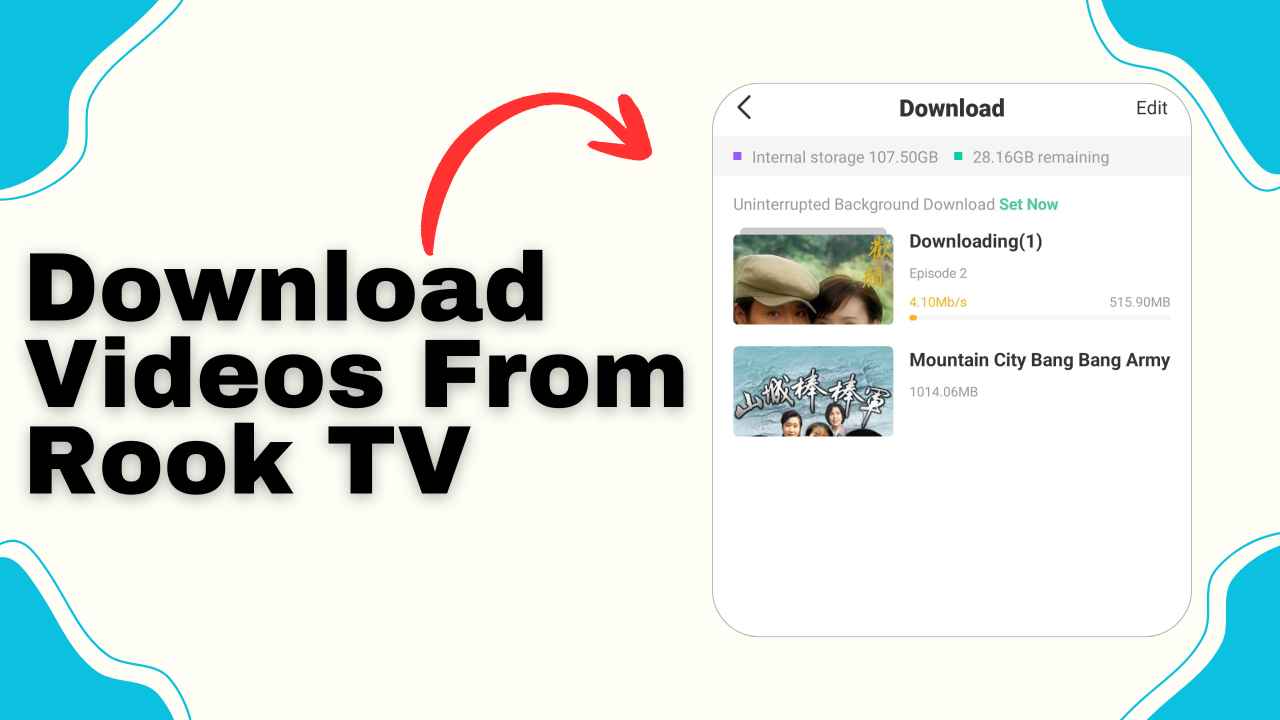
Benefits of the Offline Playback Feature on Rook TV
For those who travel very often or have to go outside for work or other purposes, the offline playback feature is going to be one of the most useful features for such people, as it gives them the flexibility to download and save a full movie or drama so that they can watch the downloaded video later anytime, as per their convenience.
Uninterrupted Viewing Experience
RookTV gives you the freedom to watch anytime and anywhere. You are not restricted by time zones or wifi access anymore. With downloaded content readily available on your device, you can enjoy all of your favourite content without having to worry about buffering issues, internet connectivity or limited data plans, which is especially useful when you are travelling in areas where network coverage is weak or in long commutes.
Fixed Quality
Before downloading videos, you can set the video quality to a specific resolution that suits your preference. This ensures a consistent video quality while watching offline, rather than suddenly dropping the video quality while you have a poor data connection.
Accessibility
The best thing about downloading videos is that you don’t have to depend on the internet anymore. Whether you are travelling or in areas with poor internet coverage, this feature works best for you as you can access downloaded videos without internet and play them in high quality, no buffering at all.
Save Data and Battery Life
You would need a stable data connection to stream content online, which consumes data very quickly. By downloading content from RookTV using a wifi, you can avoid using up your available data plan while enjoying your favourite movies. Downloading content for offline viewing also allows you to save your device’s battery since streaming online consumes more battery than playing downloaded videos. Things You Need Before Downloading Videos From Rook TV.
Things You Need Before Downloading Videos From Rook TV
With these three must-haves in place, you’re ready to download movies and enjoy them without the internet.
Internet Connectivity
For downloading videos on Rook TV, you need a stable internet connection. You can not download without internet connectivity. So, make sure you have a good internet connection, or be in an area where the internet connection works properly or get a wifi connection. With an internet connection, you can easily download your favourite content and enjoy them later offline without an internet connection.
Available Storage Space
When you are downloading a full movie or drama episode on your device, you need to have sufficient storage space or else the file may get corrupted, and you won’t be able to access it later. So, before downloading movies, you need to make sure that you have at least 2GB of available storage space on your device.
Updated Version of Rook TV App
Many features of the app, such as offline downloading, may not be available in the old version. Therefore, before downloading videos, you must have an updated version of Rook TV installed on your device.
Easy Guide to Download Full Movies From the Rook TV App
The downloading process is quite easy and straightforward. Here we have explained the detailed walkthrough of this entire process.
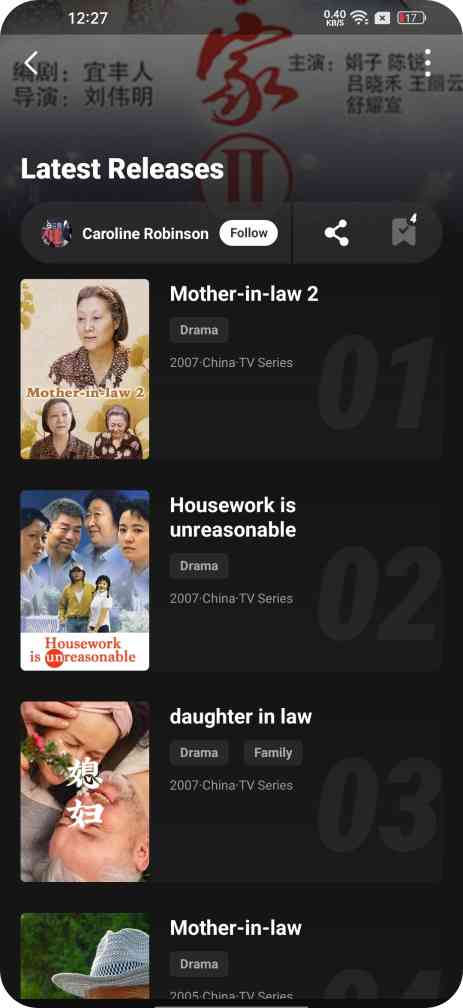
Step 1. Open the RookTV App:
Download and install the Rook TV app, and if you have it already installed, make sure you’ve its latest version on your device and then launch the app.
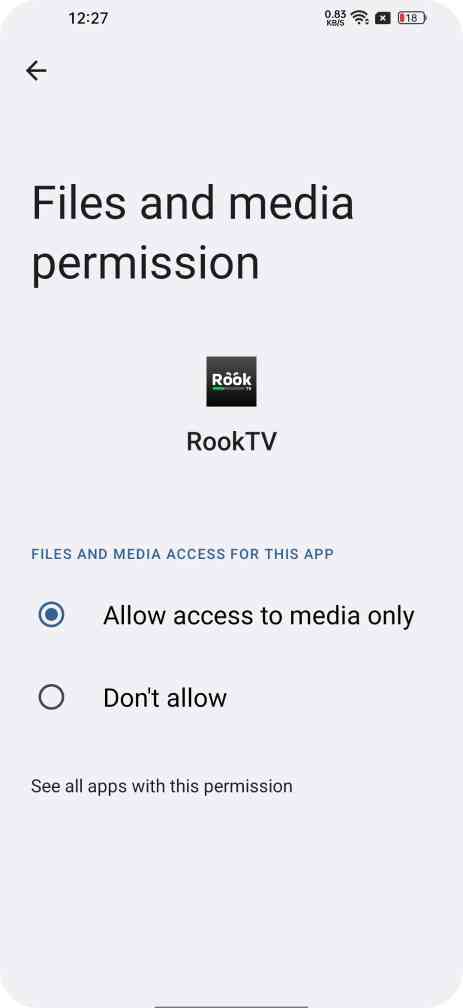
Step 2. Grant Storage Permissions:
You don’t need to log in or sign up to access the downloading features. But to download videos from Rook TV and save them on your device’s internal storage, it is vital for you to grant storage access to this app or else the offline playback feature will not function, so simply go to the Settings >> Apps > Rook TV >> Permissions and make sure to allow storage permission.
Step 3. Find the movie or shows you want:
Explore the massive database of entertainment content that it has to offer and find the perfect match that suits your taste. If you have any specific title in mind, simply use its search functionality to locate it on the app.
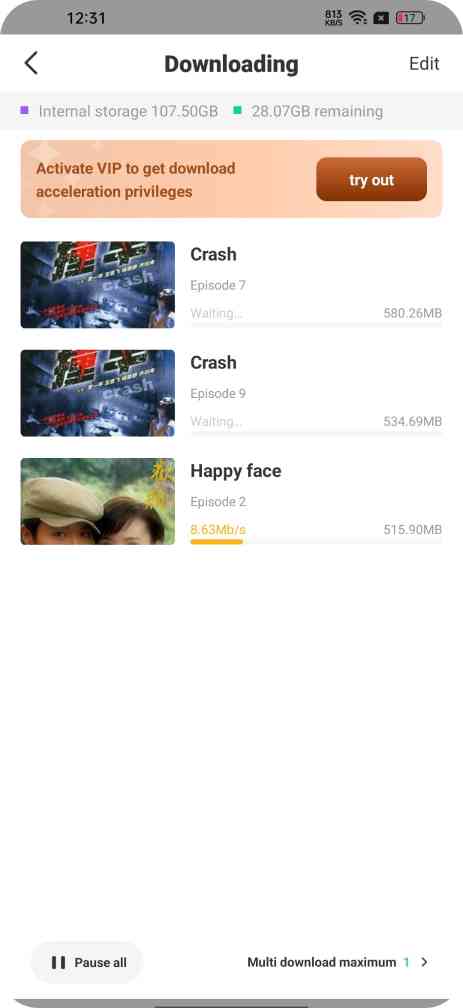
Step 4. Tap the Download Icon:
Once you find an interesting video to download, click on the video, and you will see a download icon beside the share button. Just click on that icon, and it will open up the list of all episodes and seasons on the screen. Select the episode you want to download and click on it to start downloading the video.
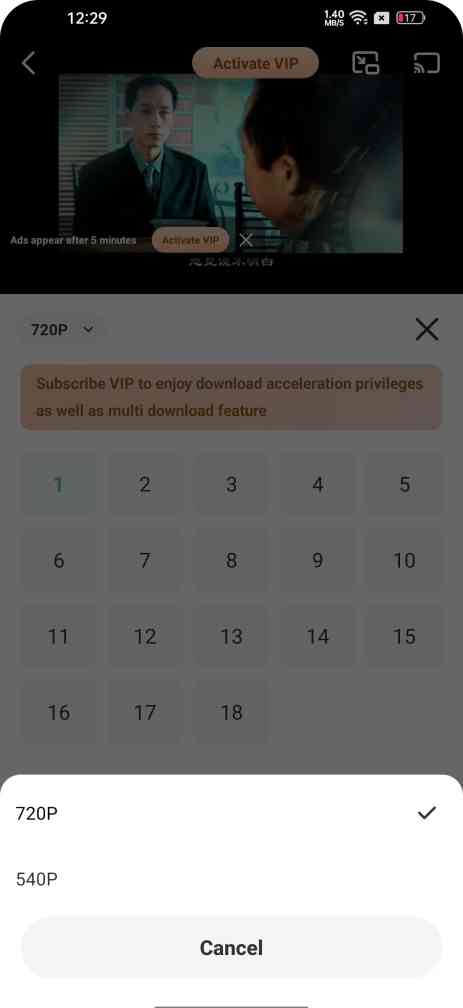
Step 5. Customize Download Setting:
By default, the videos will be downloaded in standard resolution, but if you want to download videos from Rook TV in your chosen quality so after tapping on the Download icon, you will find a video quality option,so click on that drop-down icon to select the desired video quality.
How to Locate Downloaded Videos and Watch Offline?
All the videos that you downloaded from Rook TV can also be easily found in the default gallery app or File Manager app, which means you can use an external media player such as MX Player or VLC to watch the video.
You can also locate the downloaded content directly from the app. Simply, go to the “Me” section at the lower right of your screen in Rook TV app. Then tap the “Download” option, where you can find the list of all videos that are downloaded from this app. This way, you can locate the downloaded videos.
Conclusion
Rook TV is the best choice for everyone who is interested in Asian Dramas across all genres. With its offline playback feature, you can download multiple videos on a single device. You can also set the video resolution as per your preference before downloading. This will keep the resolution the same as it was set before. It would not change while watching offline, rather than reducing the video quality if you were connected to a poor data connection. This feature works best while travelling or when you are on long commutes. Rook TV’s offline playback feature has made it a favourite among the cinephiles and entertainment lovers.